Returning assessments to students
Published on: 2022-10-17 by Edufide
After you have finished grading, you can release the assessments back to students so they can view their scores and your feedback. This process also allows you to push grades to your Learning Management System (LMS).
Releasing Grades and Feedback
From the assignment Dashboard, you will find the option to ‘Return to Students’. You can choose to return all at once, or return them individually from the ‘Students’ tab.
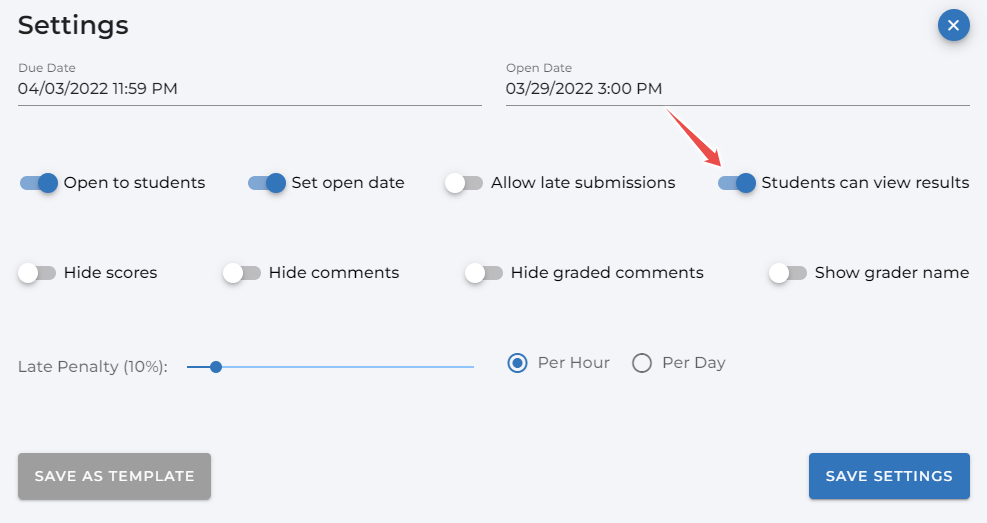
Before returning, you can set a policy for what students will see. For example, you can choose whether they see the full rubric, just the comments, or only the final score.
Pushing Grades to the LMS
On the Dashboard, there is a button labeled ‘Push Grades to LMS’. Clicking this will send the final calculated score for each student to the gradebook in your connected LMS (like Canvas, Moodle, etc.).

You can push grades as many times as you need. If you make a correction to a student’s grade in Assign2, simply push the grades again to update the LMS gradebook.
What Students See
Once an assessment is returned, students can log in to Assign2 through the same link in their LMS. They will see their final score, their original submission, and all the annotations, comments, and rubric feedback you provided.
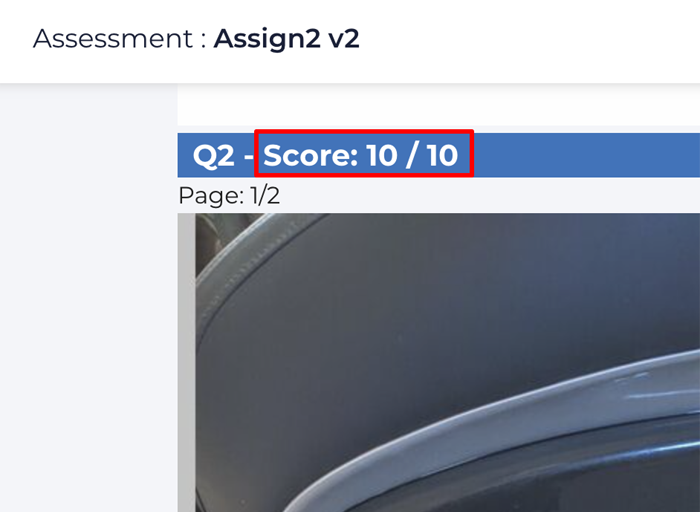
This rich feedback loop helps students understand their mistakes and improve their learning.